
Where AI helps you in BL Next: the full tour, screen by screen
Reading your invoices and contracts, pricing a quote, turning a report into professional French, answering your field technicians, commenting on your month: what AI actually does in BL Next — and what it costs.

Artificial intelligence gets talked about a lot, and rarely in terms of what it actually does at 7 a.m. in a twelve-person company connecting subscribers and renovating riser columns. In BL Next, AI isn't a separate tab: it sits exactly where time gets lost — the invoice to re-key, the contract to copy out, the report to write up in presentable French, the technician's question when they can't reach their manager. Here's the full tour, screen by screen, carried out on our demonstration company "BâtiPro Services". Every screenshot is real, and so is every AI response.
Three rules apply everywhere. AI proposes, you validate: nothing it produces is saved without your review. The cost is shown before you click, in credits, on every button. And nothing is deducted if the analysis fails.
1. It reads your documents for you
The first thing AI knows how to do is read — and re-key on your behalf what you would otherwise have typed.
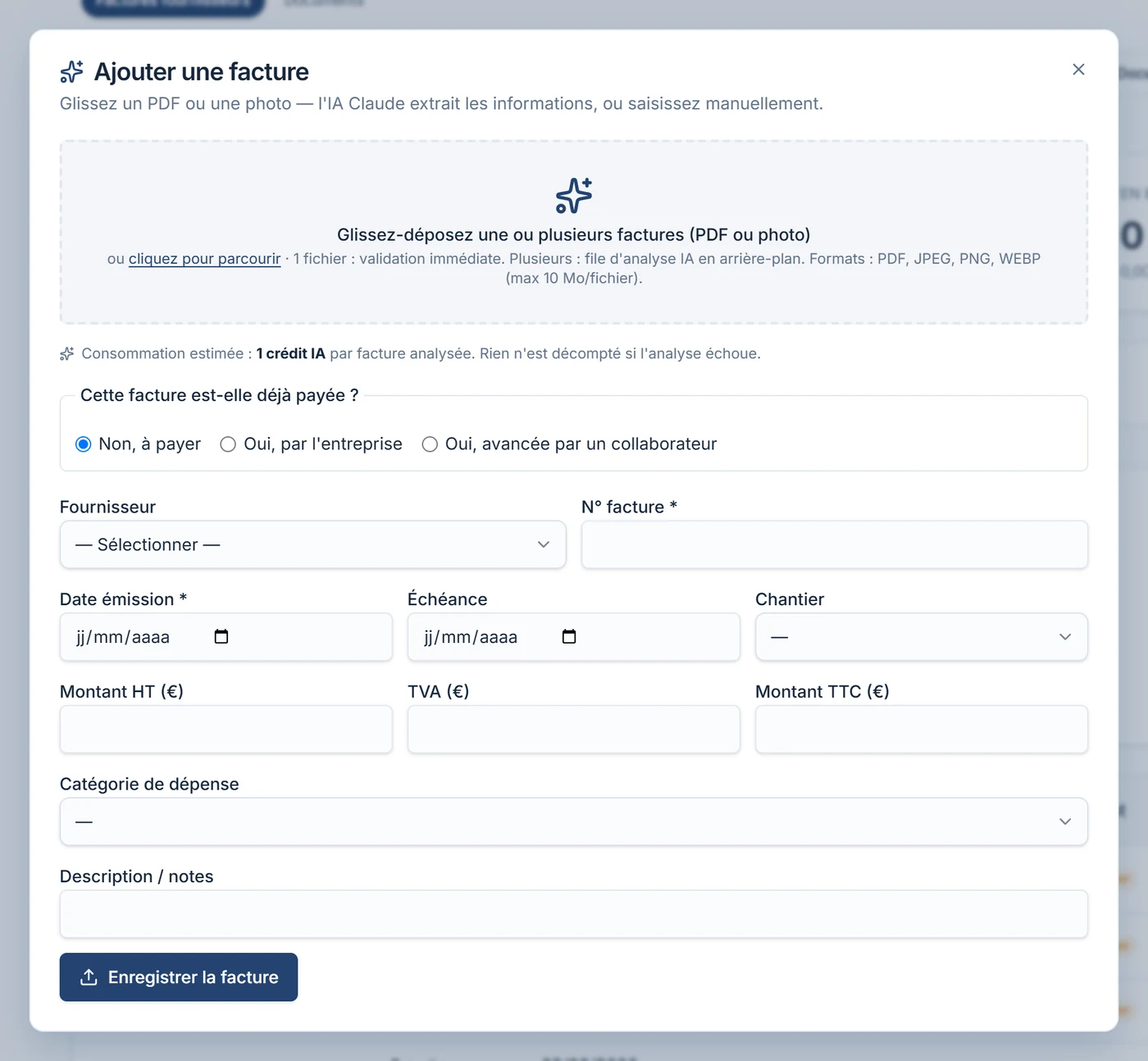
Supplier invoices. Drop in a PDF or a photo taken on your phone: supplier, number, dates, amounts excl. tax, VAT and total, expense category — everything is extracted and proposed in the form. A single invoice is validated instantly; several are sent to a background analysis queue, and you come back once it's ready. 1 credit per invoice analysed.
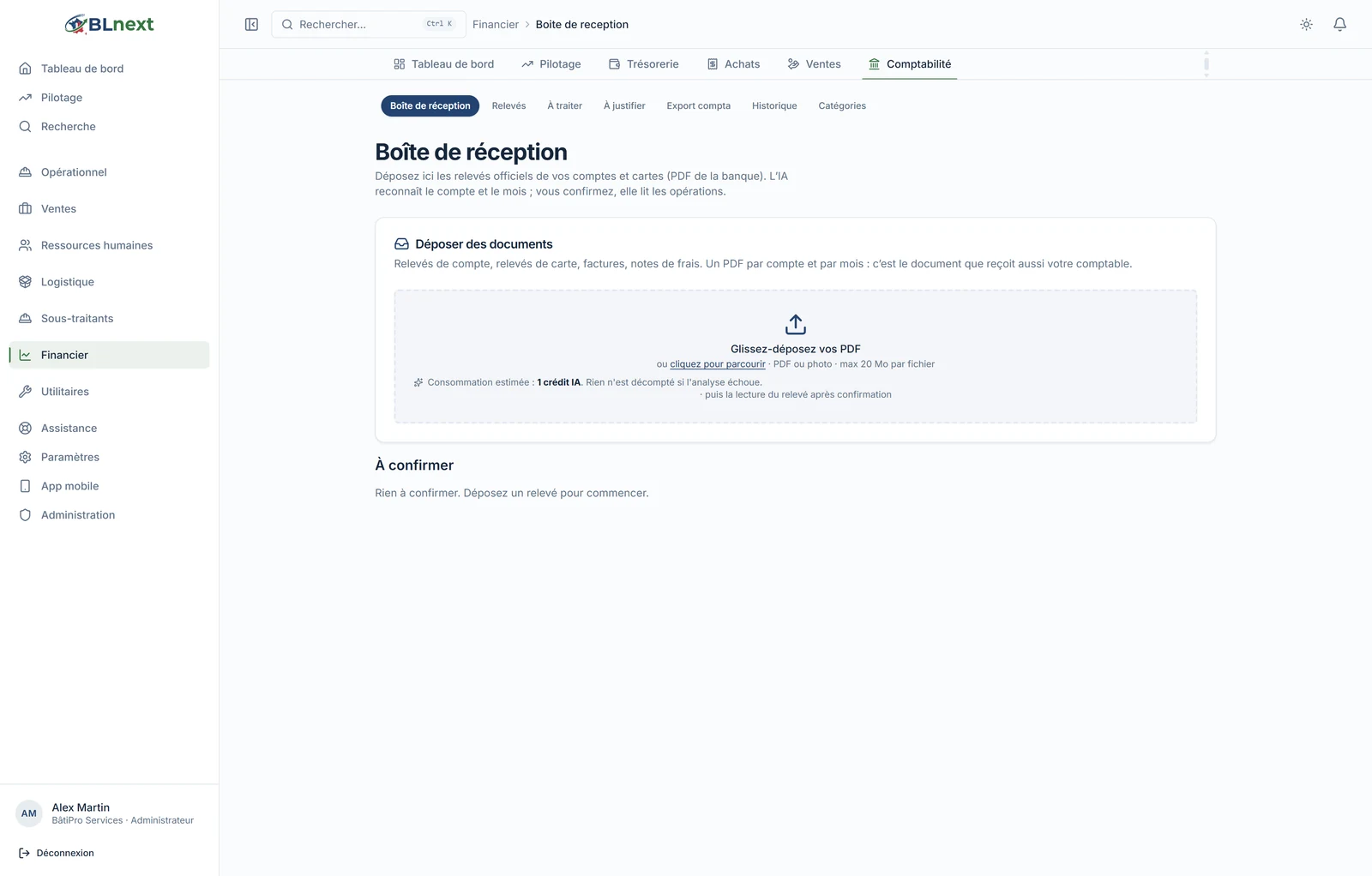
The accounting inbox. Drop in your official account and card statements, all at once: AI recognises the account, the month, the IBAN or the card, and files each document in the right place. You confirm, then it reads the transactions. No more "which file was that again?"
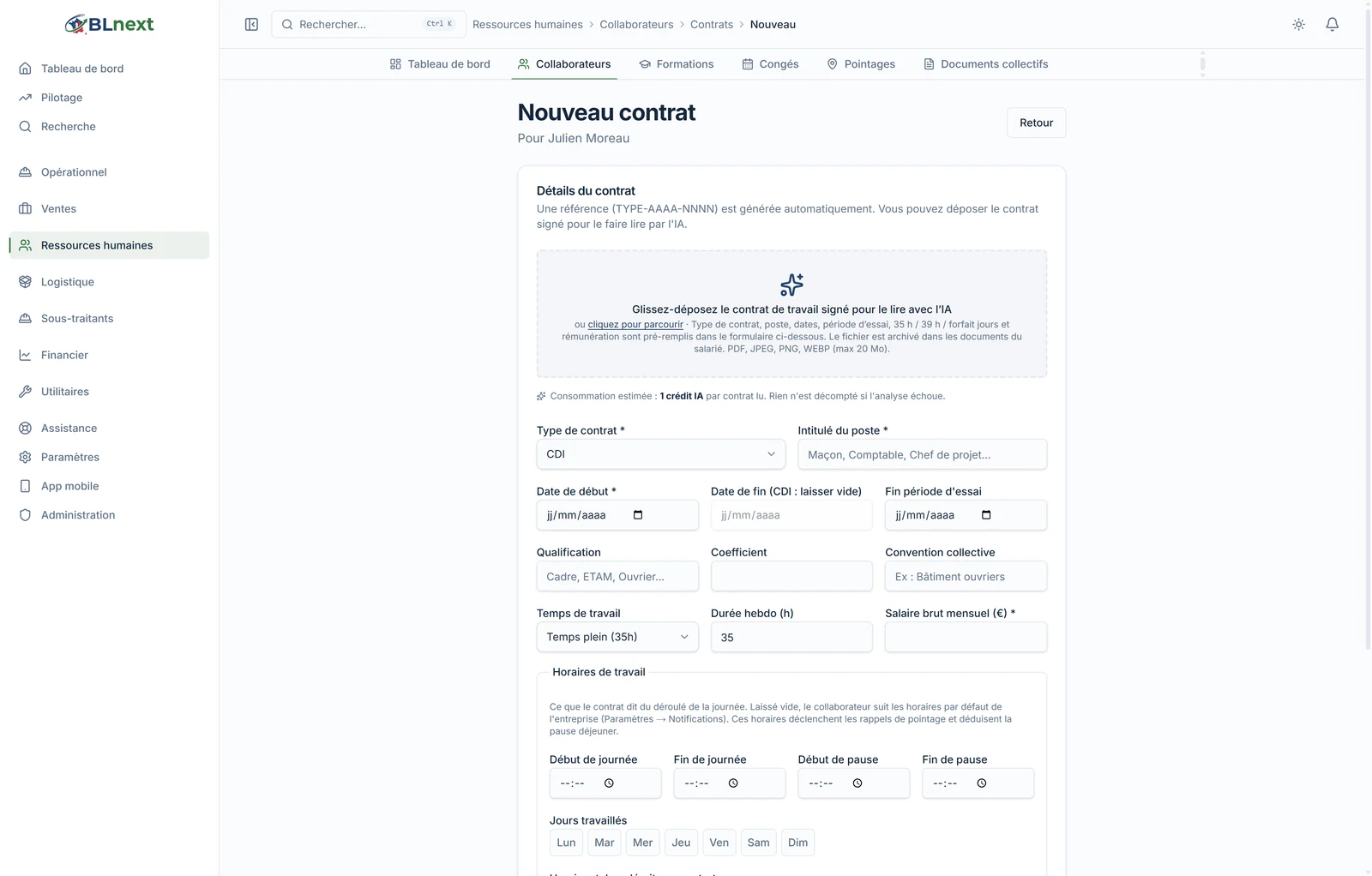
HR documents. A signed employment contract, a payslip, an ID document, a training certificate: AI reads the type, the position, the dates, the probation period, working hours, salary — and pre-fills the employee record. The file is archived in the employee's documents in the same step.
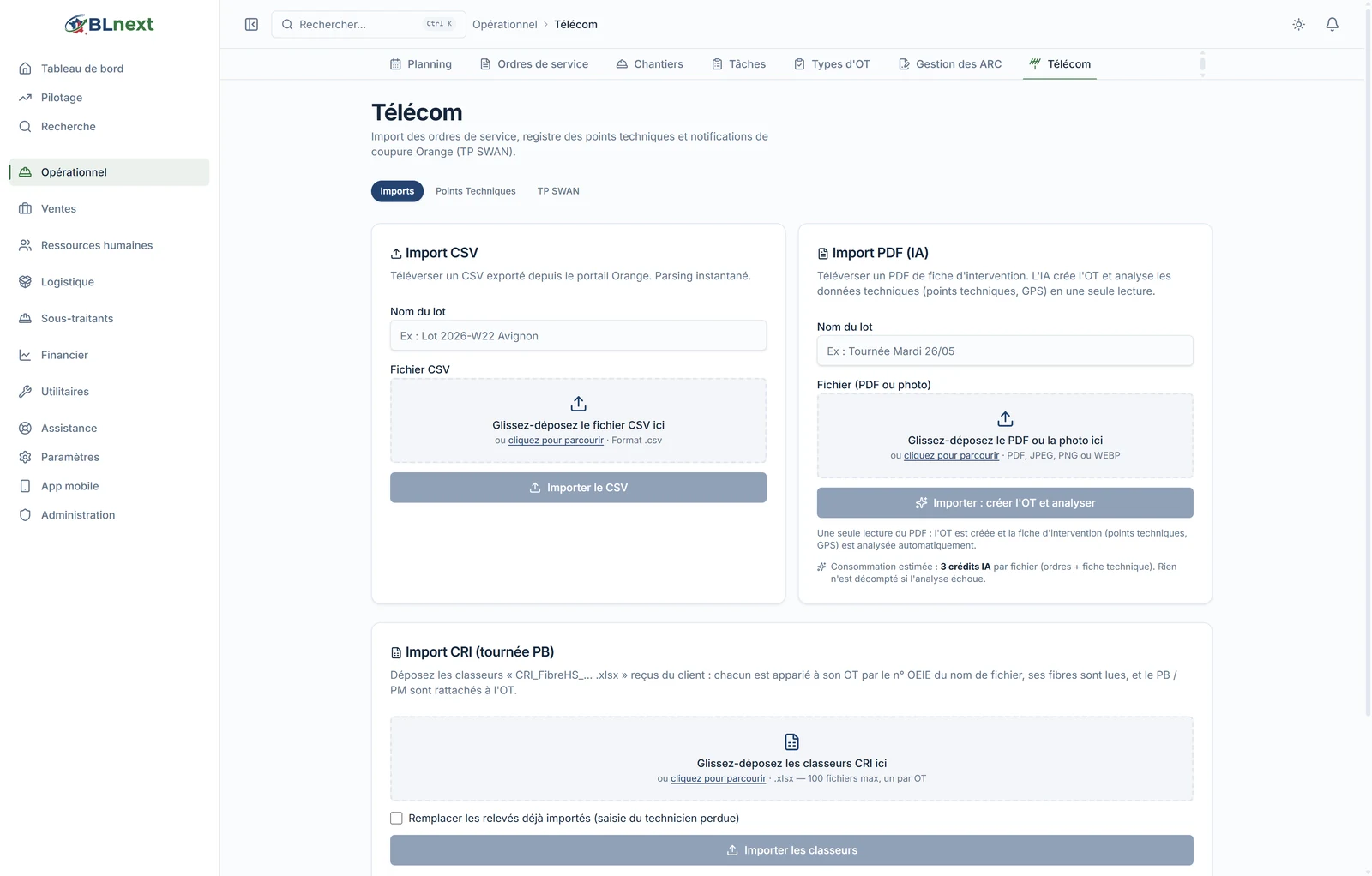
Orange intervention reports. For telecom subcontracting, reading a single intervention report PDF creates the work order and analyses the technical data — technical points, GPS coordinates. 3 credits per file, order and report included.
On the same principle, not shown here: vehicle registration documents and technical inspections, bank statements (file structure, categorisation, reconciliation suggestions), PPD production statements, contract pricing schedules, and financing amortisation tables.
2. It writes for you
The quote after a site visit. You type your notes the way you'd say them to a colleague — "riser column to renovate over 4 floors, outdated main panel to replace, 8 sockets and 4 light points in common areas" —, you indicate the planned team, you add site photos if you have any.
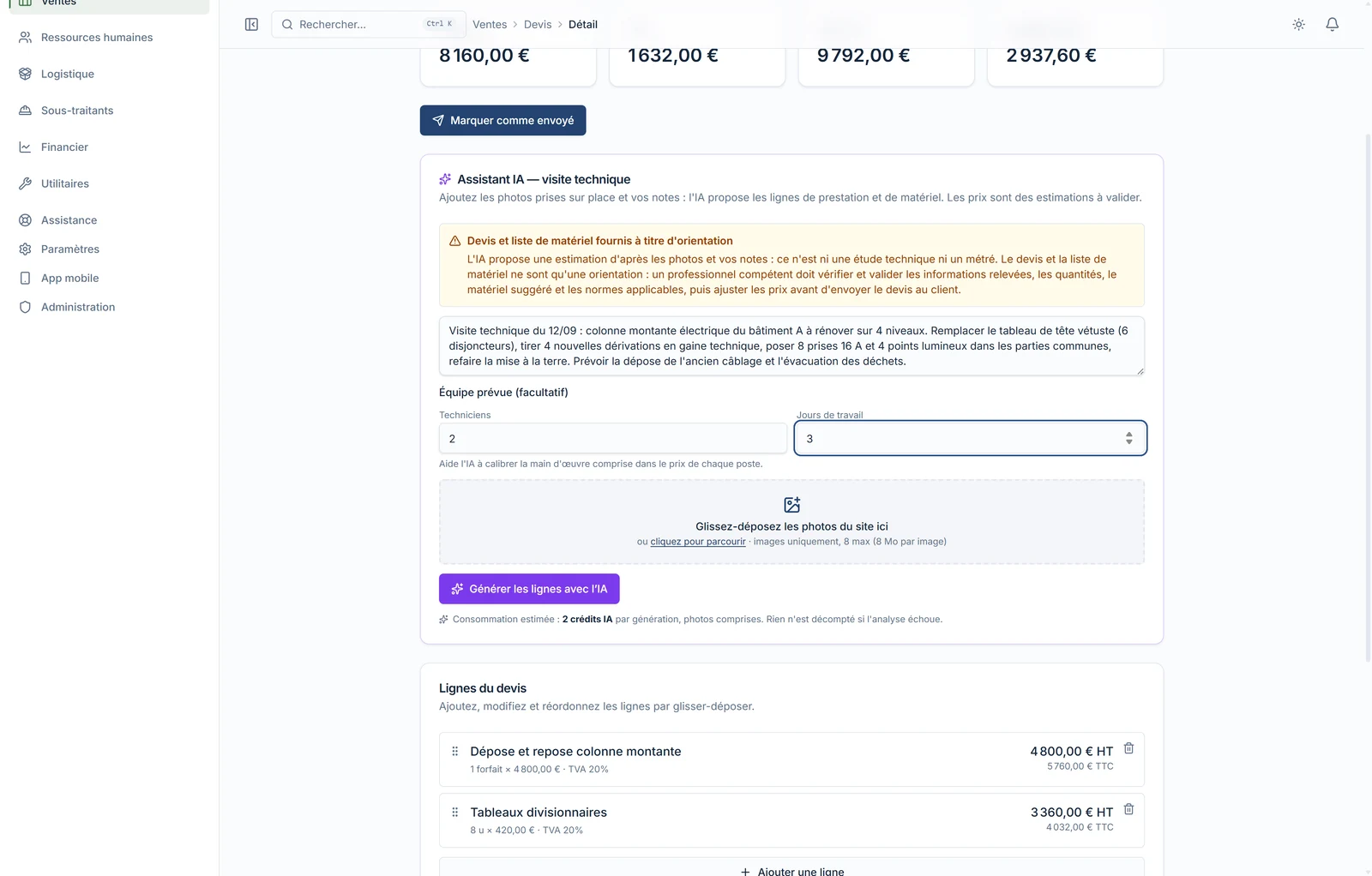
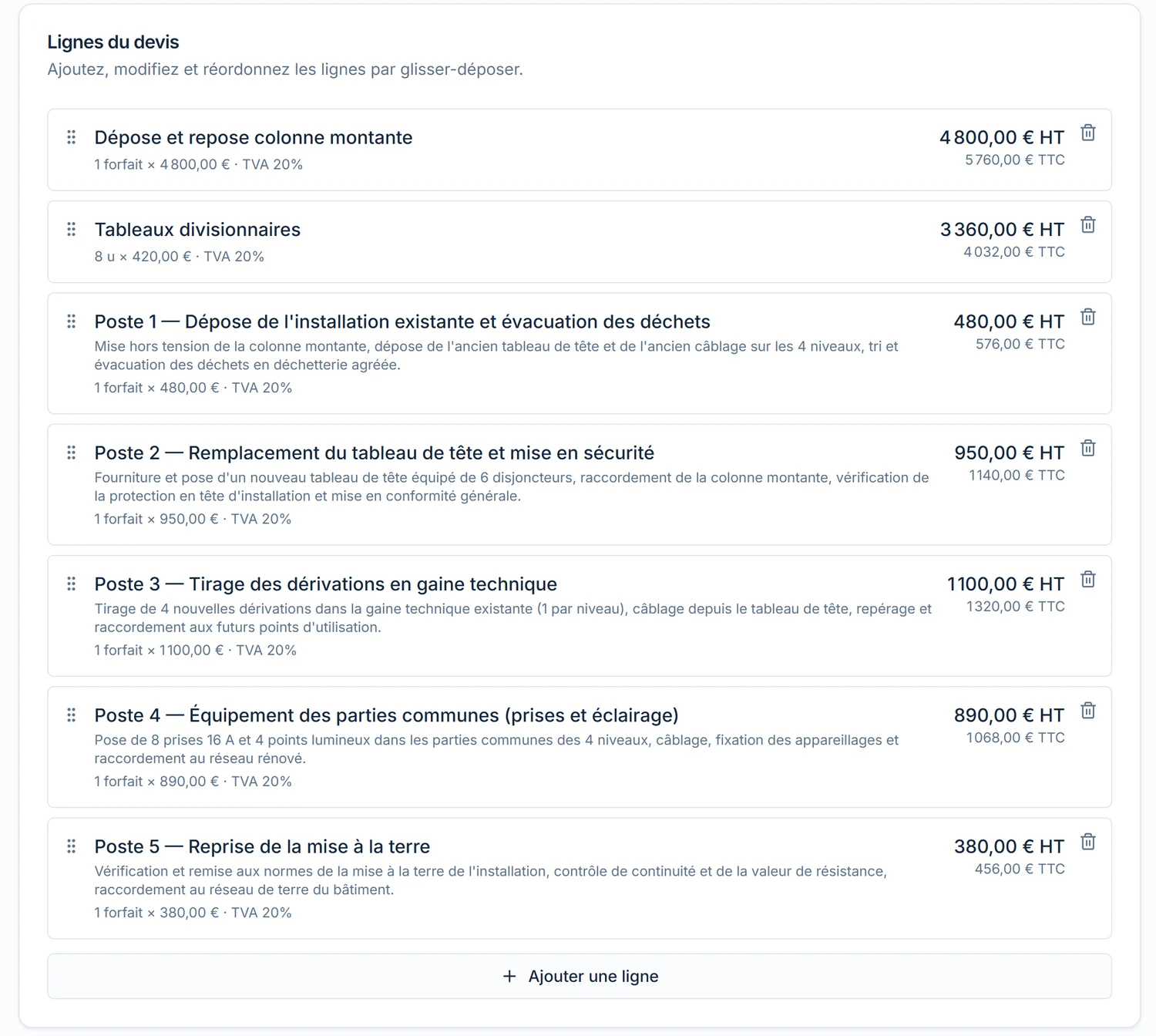
AI proposes priced service items, each with a technical description. In our example: five items, from removing the existing installation to redoing the earthing connection, for €3,800 excl. tax. Each line can be edited, reordered or deleted like any quote line.
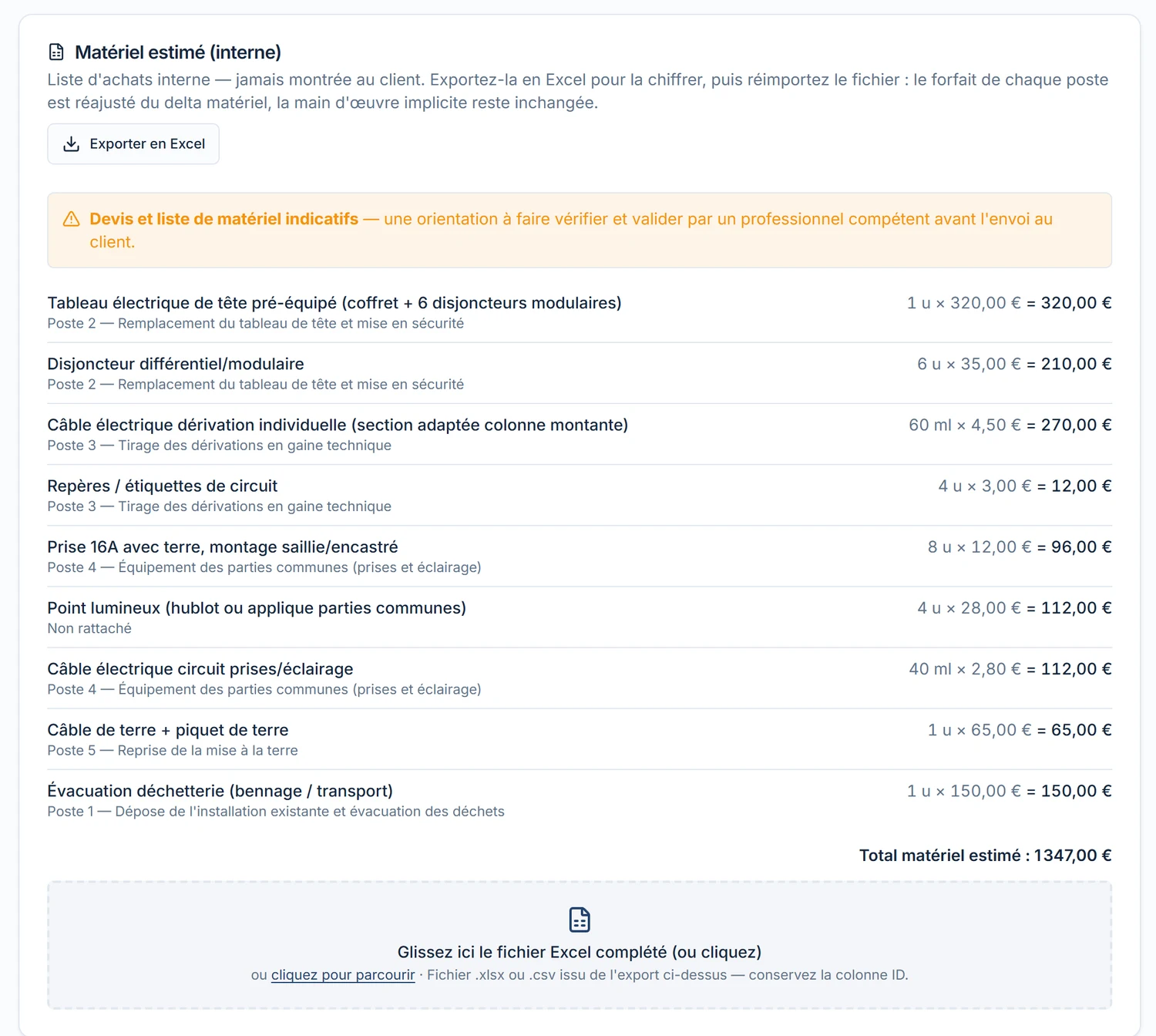
It also produces an estimated materials list — internal, never shown to the client — with quantities and indicative prices, exportable to Excel to be priced by your supplier and re-imported. A banner spells it out clearly: this is guidance, not a technical study; a professional validates before sending. 2 credits per generation.
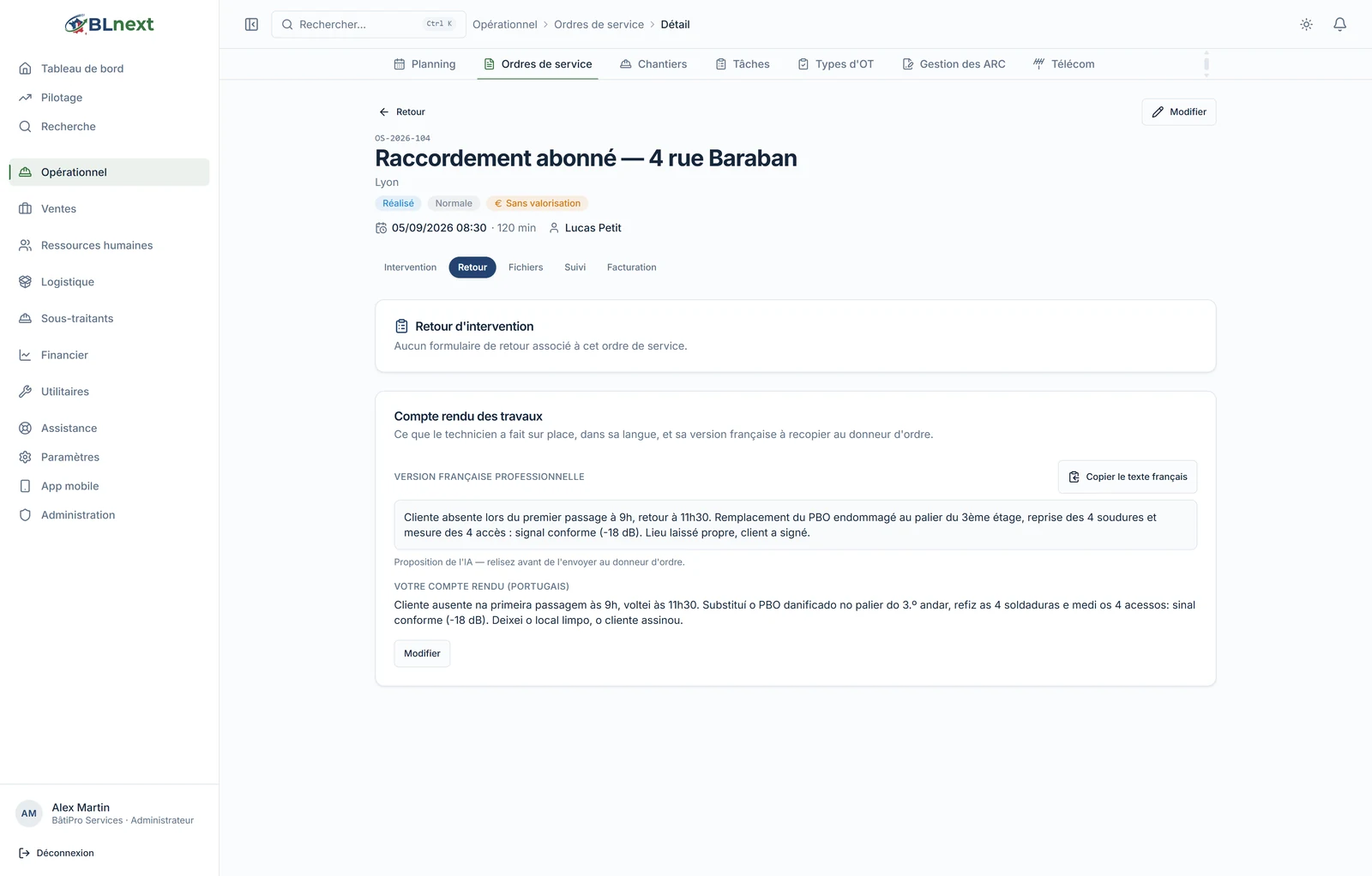
The intervention report. Many technicians write better in their native language than in administrative French. So they write in their own language; AI produces the professional French version, ready to be copied into the client's tool. The original is kept, the French version stays editable, and a manually corrected text loses its "AI-proposed" marker. 1 credit per report.
Your company profile. From the admin screen, AI drafts a proposed profile — activity, specialities, clients, house vocabulary — based on what it sees in your account. You correct it, you save it: this profile is then used to personalise the copilot, the support assistant, quotes and statement filing.
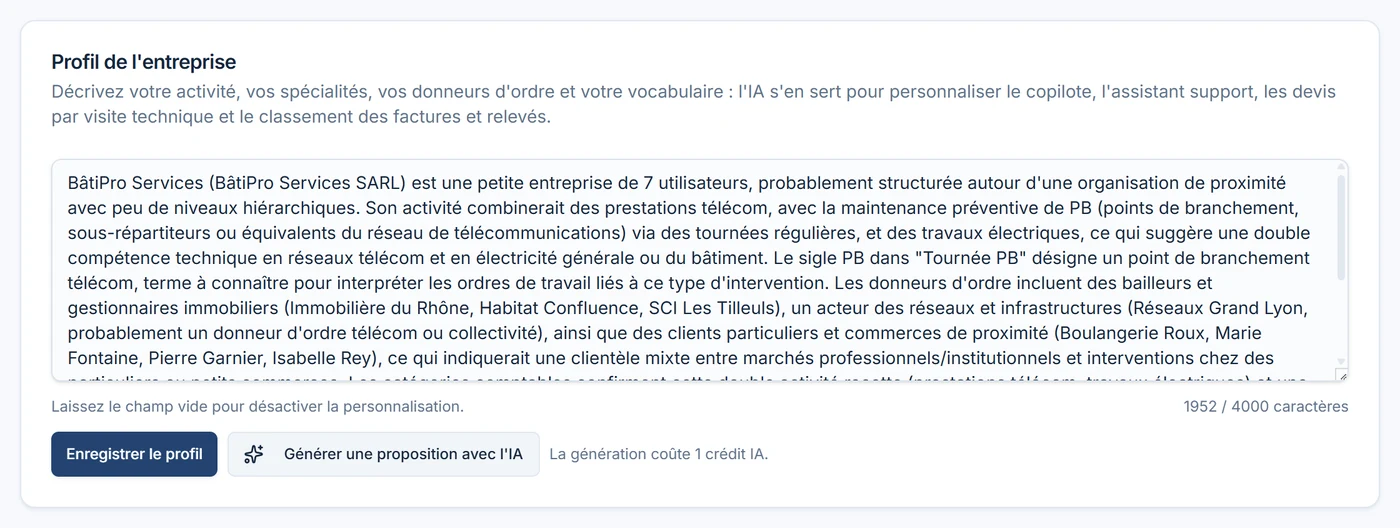
In the same family: the email to the town hall requesting work authorisation (drafted with the municipality's contact details found on the web), and client follow-up email templates, by work order type.
3. It answers your questions
On site. On every ongoing work order, the technician has a "Need help?" button. The assistant knows the intervention record, the procedure for that OT type, and your company's guides — and nothing else. It answers in the technician's language, cites the guide when one exists, and when the information isn't in your documents, it says so and refers them to their manager. In our example, it gives the address, time and nature of the intervention, then honestly notes that no procedure is documented for this type of OT.
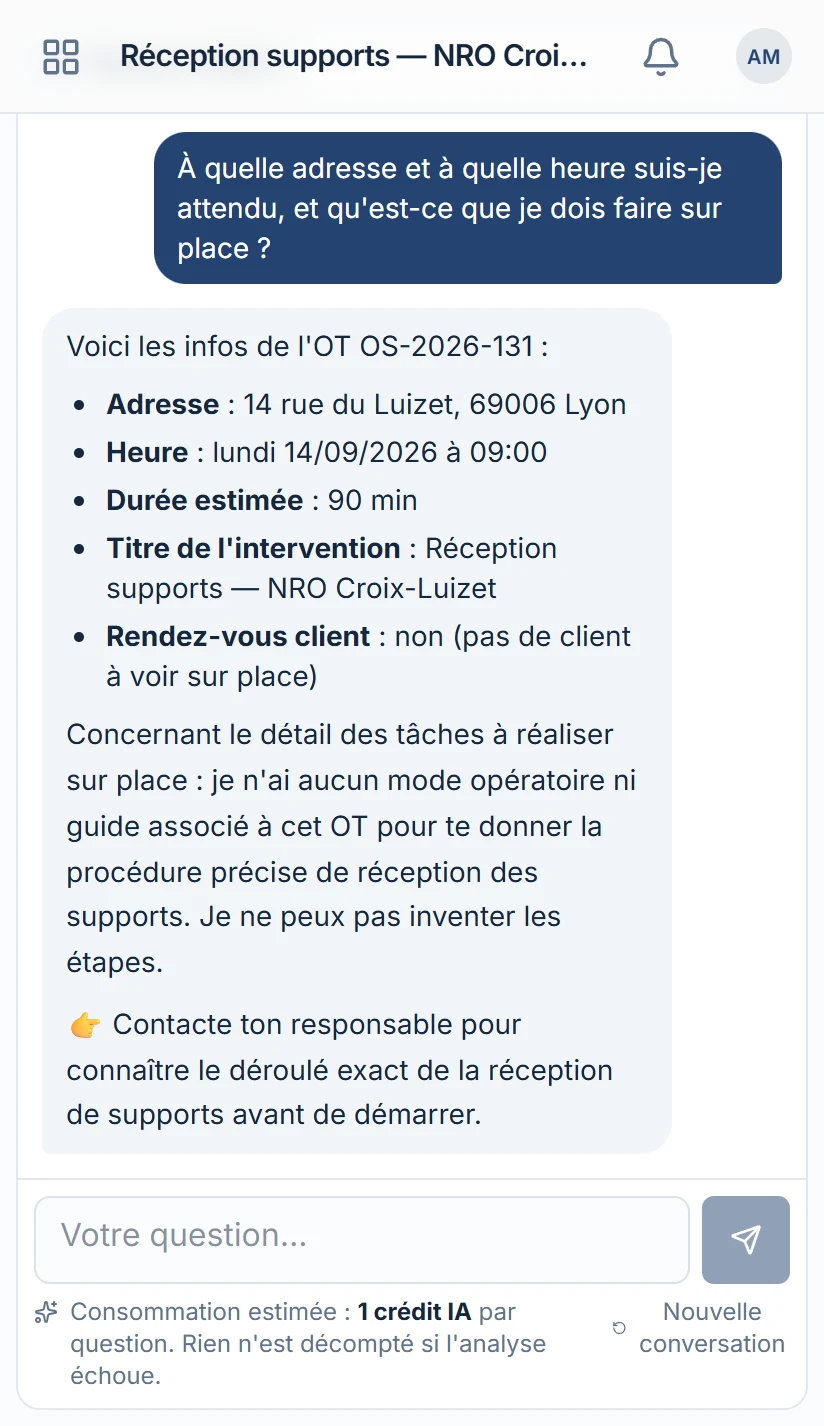
1 credit per question, regardless of how many guides are consulted.
On the application. In "Support", a question about the software gets an answer within seconds, drawn from BL Next's documentation. If that's not enough, one click hands the conversation over to the human team, who pick up right where the assistant left off. No cost: support is part of the service.
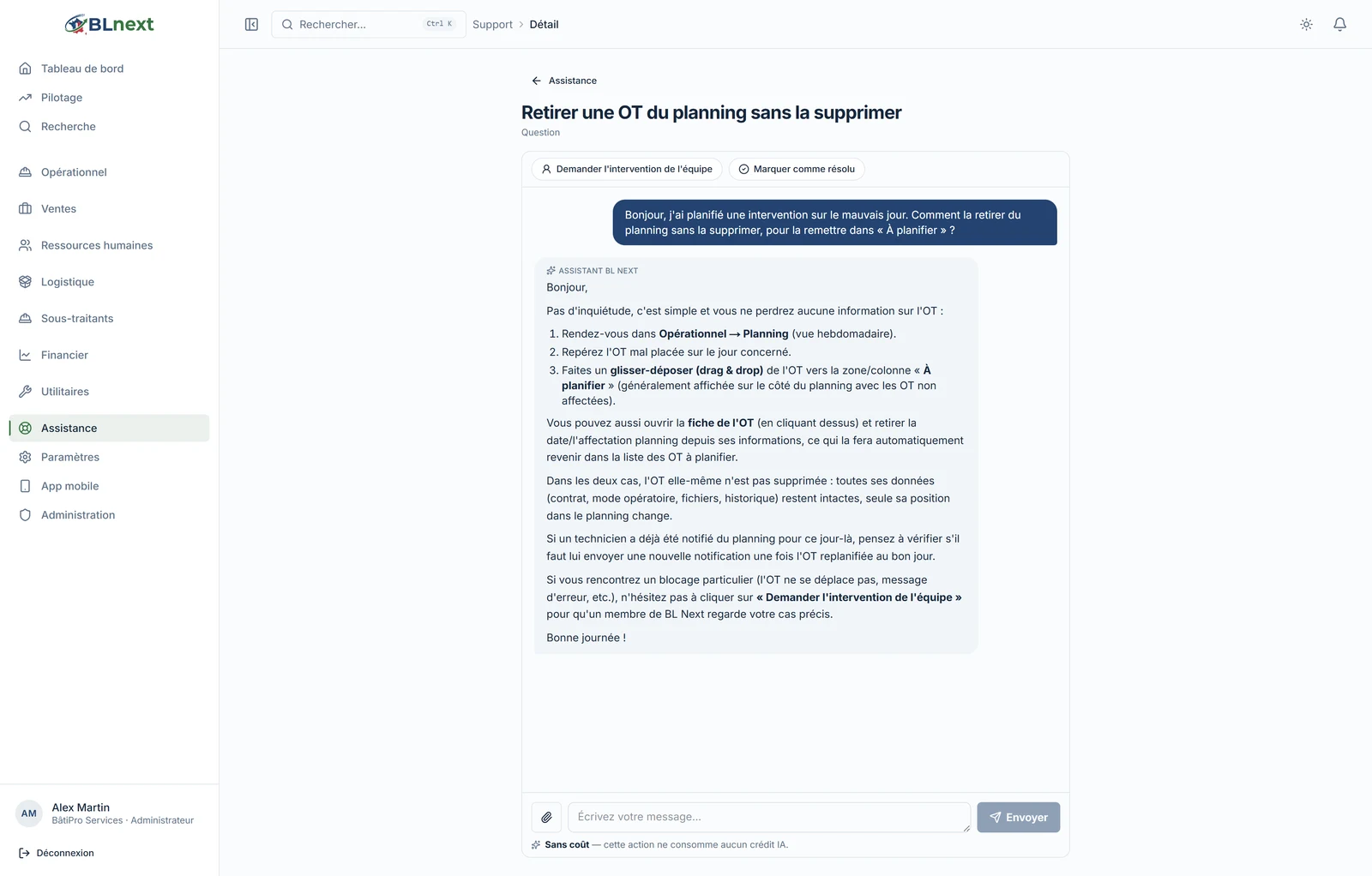
On your figures. The management copilot, reserved for the Telecom plan, answers plain-language questions about your work orders, production, quotes and outstanding amounts — "how many completed but unbilled interventions this month?" — by reading your data, with exactly the permissions of the person asking.
4. It keeps you informed without you having to ask
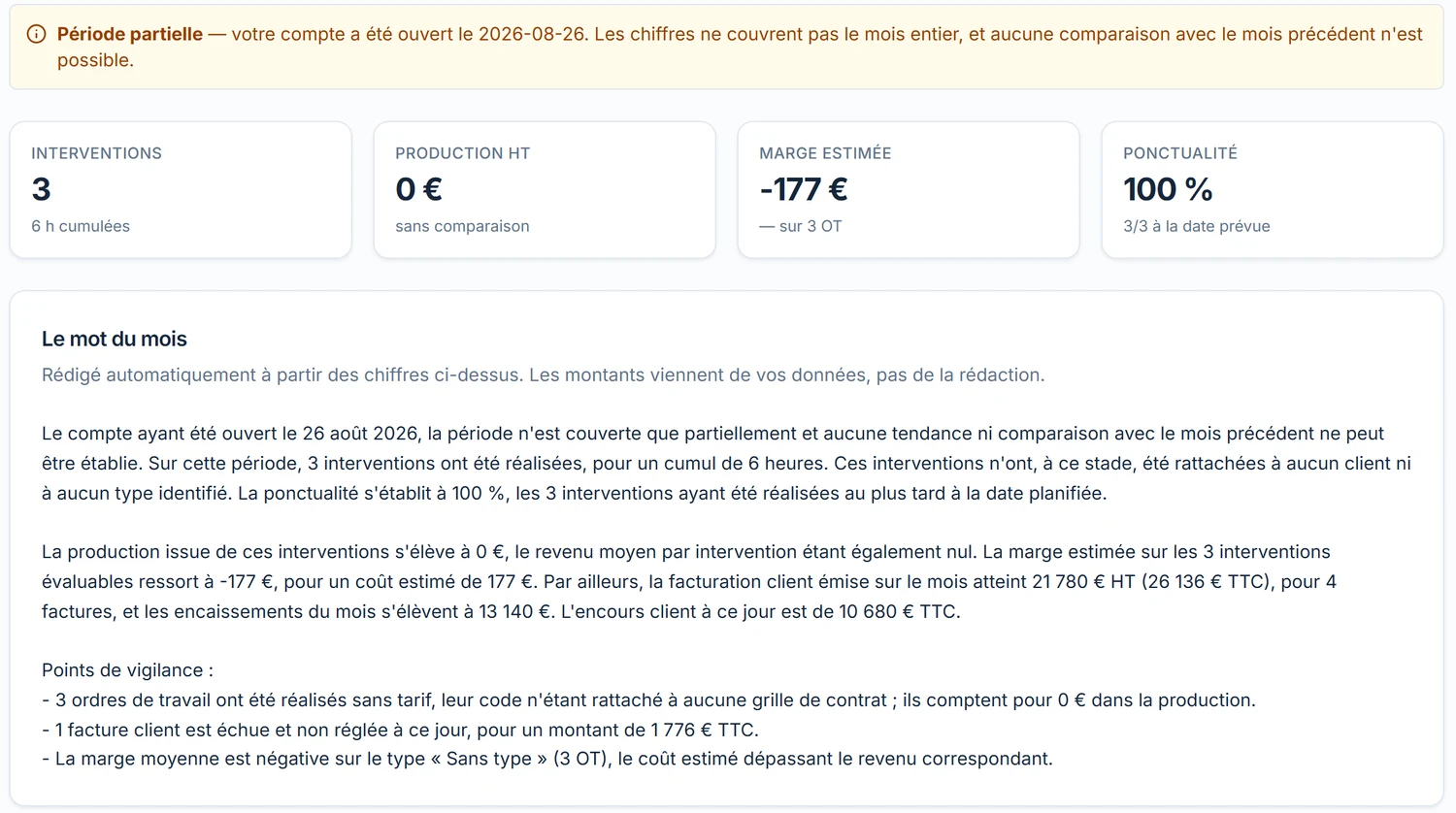
The monthly activity report. At the start of each month, a page covering the month just ended: interventions, production, margin, punctuality, main clients, deviations — and above all "the word of the month", a commentary written from your figures, with concrete points to watch. In the demo, the account has only existed since late August: AI says so, declines to make comparisons, and still flags three completed OTs with no rate attached and one overdue invoice.
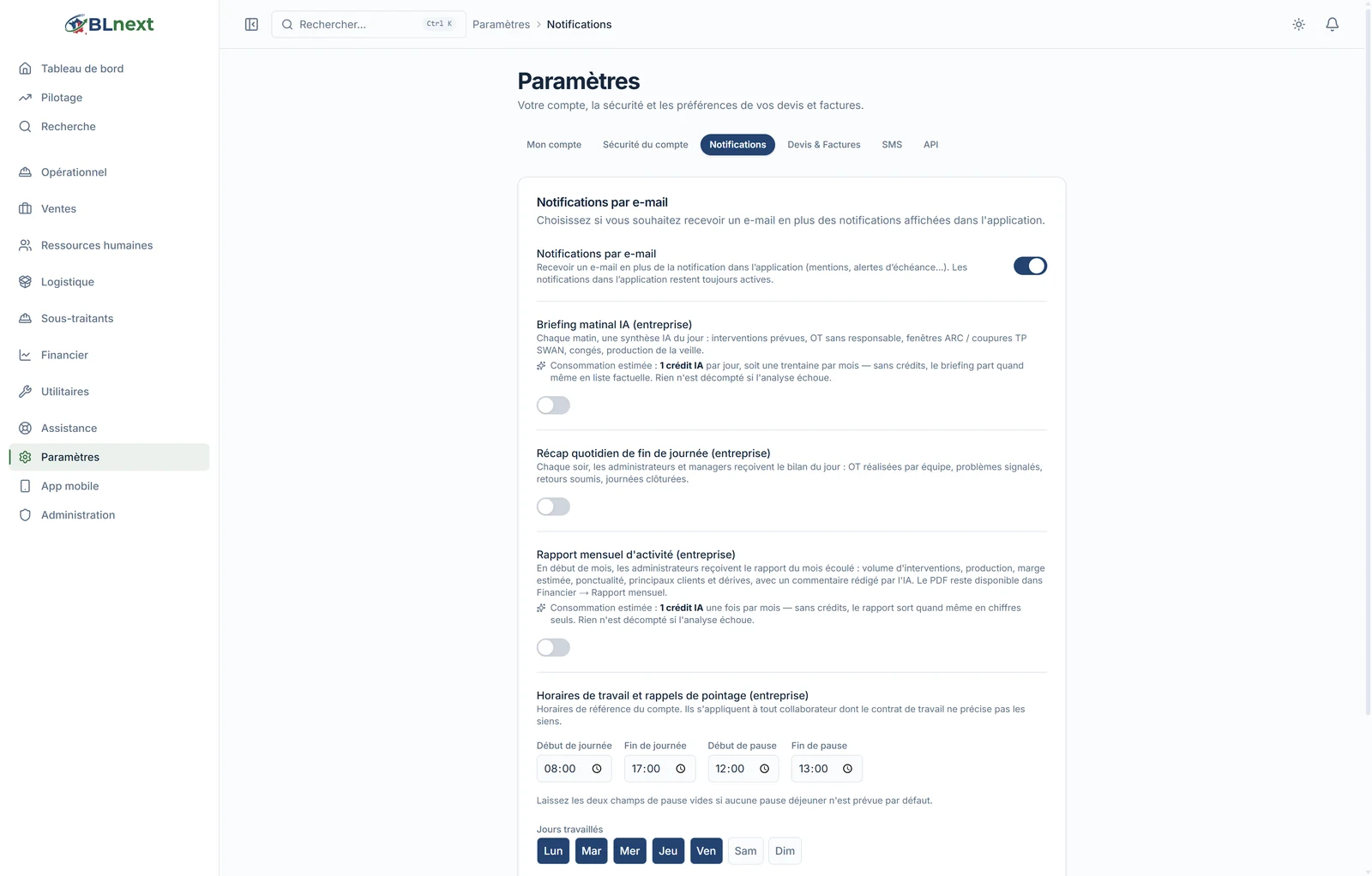
The morning briefing and evening recap. Every morning, a same-day summary by email: planned interventions, OTs with no manager assigned, ARC windows and TP SWAN outages, leave, the previous day's production. Every evening, the day's summary for managers. Each one is switched on with a toggle in your preferences, with its cost shown alongside.
Added to this list is photo quality control: in the background, AI reviews intervention report photos and flags those that need retaking — blurry, off-topic, incomplete — before they're sent to the client.
5. And it translates
A construction company speaks several languages. Procedures, field guides and the news articles on this site are translated into Portuguese and English with one click, and the application detects when the French version has changed since the last translation. The technician's report, as we saw, takes the reverse path.
6. What it costs, and who decides
Everything is managed from a single screen, in your account's admin section.
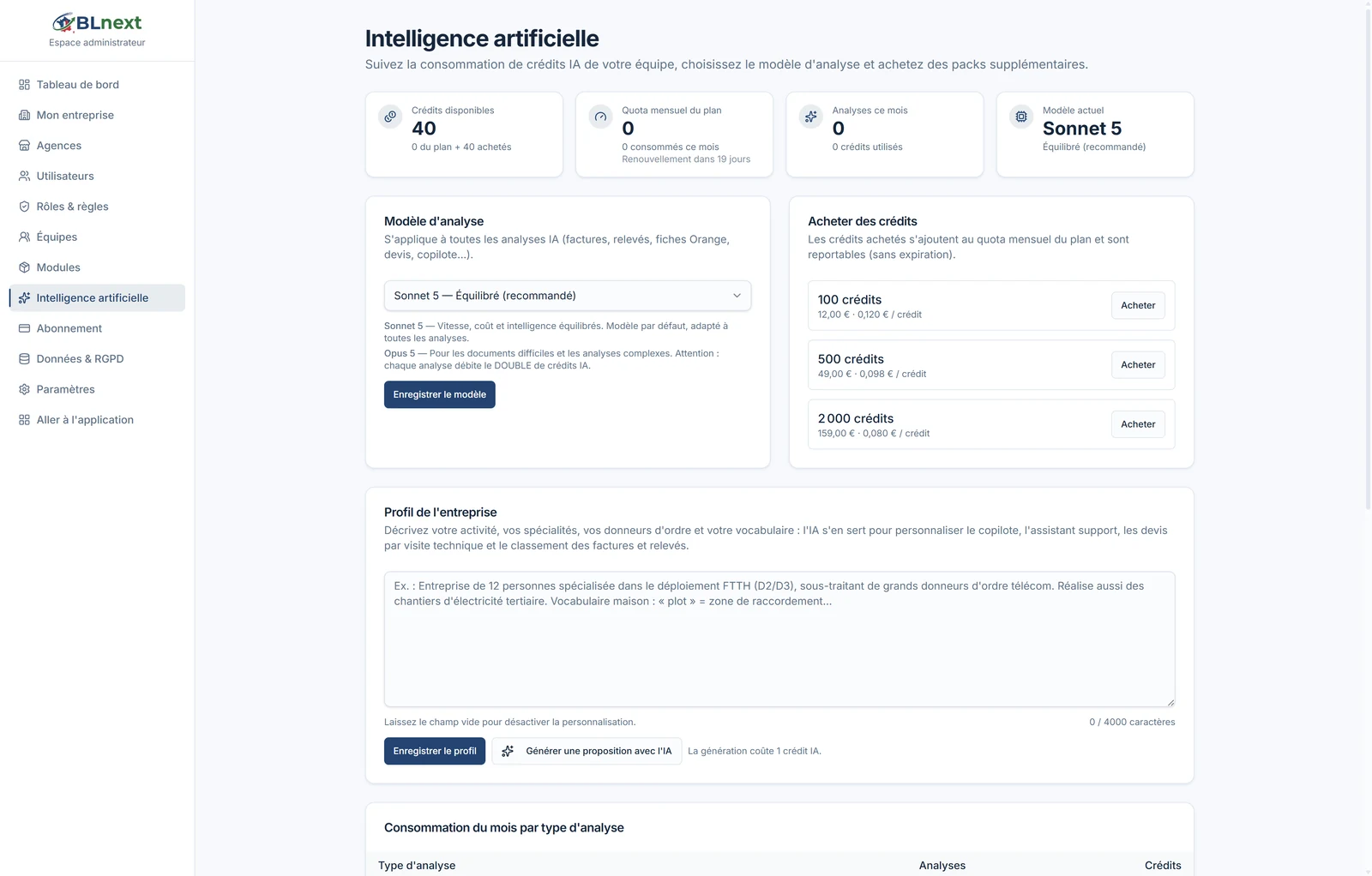
- Credits included in every plan — 30 per month on Chantier, 300 on Pilotage, 1,000 on Télécom — plus non-expiring packs if you need more: 100 credits for €12, 500 for €49, 2,000 for €159.
- A cost per operation, shown before you click: an invoice, a report or a question to the copilot cost 1 credit; a quote or a substantial HR document, 2; a full bank statement, 3. The usage table shows you who used what, by type and by team member.
- A choice of model: Sonnet 5 by default — a balance of speed, cost and intelligence — or Opus 5 for difficult documents, which costs double.
- Per-person activation: AI can be switched off or on for each member individually.
- Your data stays your data: it's hosted in the European Union, and every AI call only transmits what the screen requires, with the permissions of the person who clicks — never more.
Everything you've seen here can be redone in a few minutes on your own account, during the 14-day trial — no credit card required, and with your real documents.