
Managing Road Closure Permits: get the town hall's traffic order without retyping a CERFA
Authorisation for works on public land, a pre-filled CERFA 14024, an AI-drafted e-mail to the town hall, an alert 5 days before the deadline, and a job start locked outside the approved window: how BL Next tracks every traffic order, from request to archiving.

Digging a trench in a pavement, setting up a two-way alternating traffic system on a street, parking a lift platform on the road: as soon as a job touches public land, it needs a traffic order ("arrêté de circulation") signed by the town hall. In the trade, people call it the "ARC". The official form is the CERFA 14024*01, it's two pages long, and it's filled in by hand, case after case, with the same information as last time: the company, the client, the street, the dates, the boxes for the requested regulations.
BL Next's Road Closure Permit Management module handles this dossier from end to end: the request is created from the work order, the CERFA is generated pre-filled, the accompanying e-mail writes itself, the app warns you if the permit hasn't arrived five days before the works — and won't let the job start outside the authorised window. Here's how it works, screen by screen, on our demo company "BâtiPro Services", for a fibre connection on Rue Francia, in Lyon's 3rd arrondissement.
1. An ARC is always linked to a work order
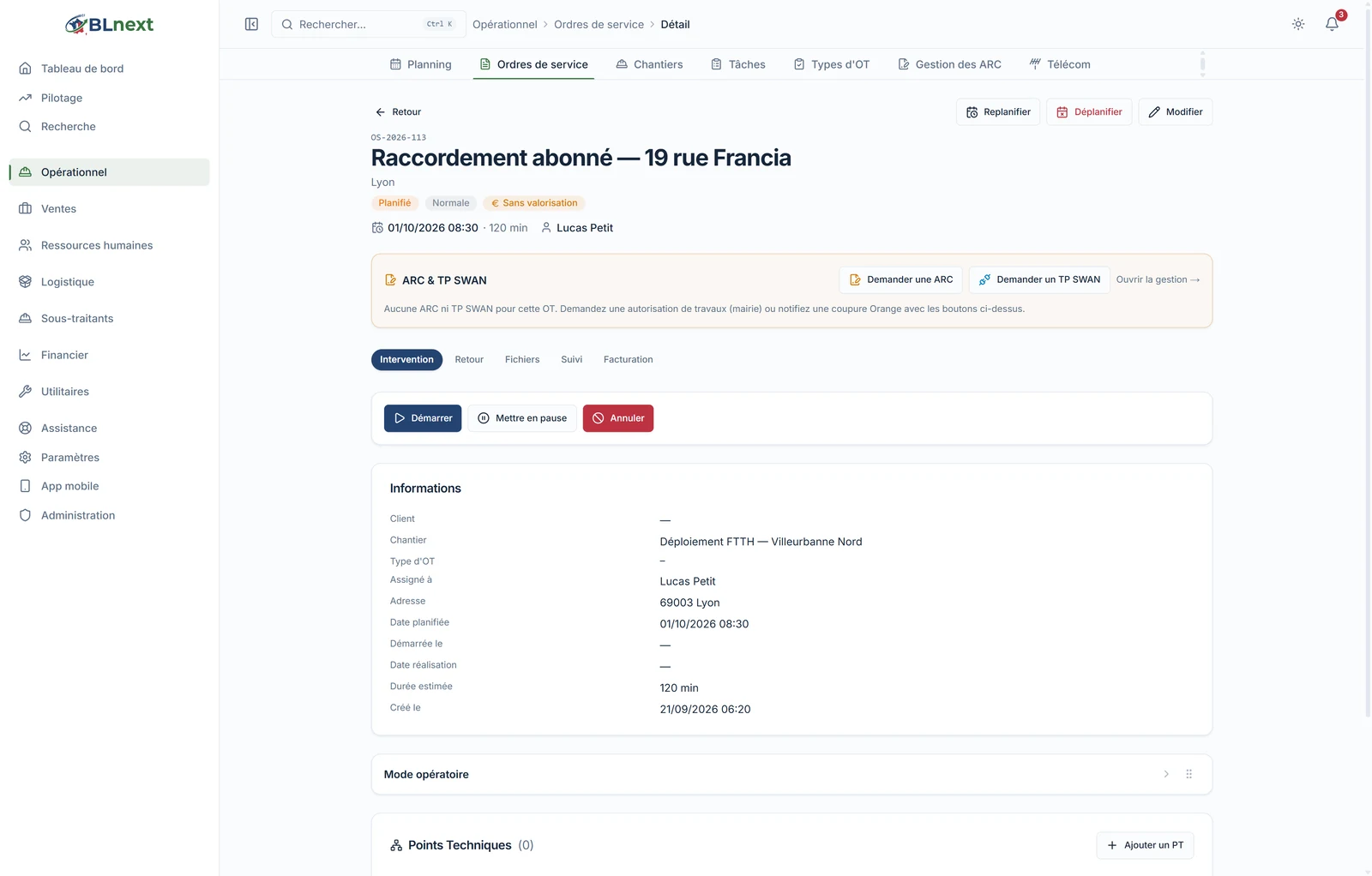
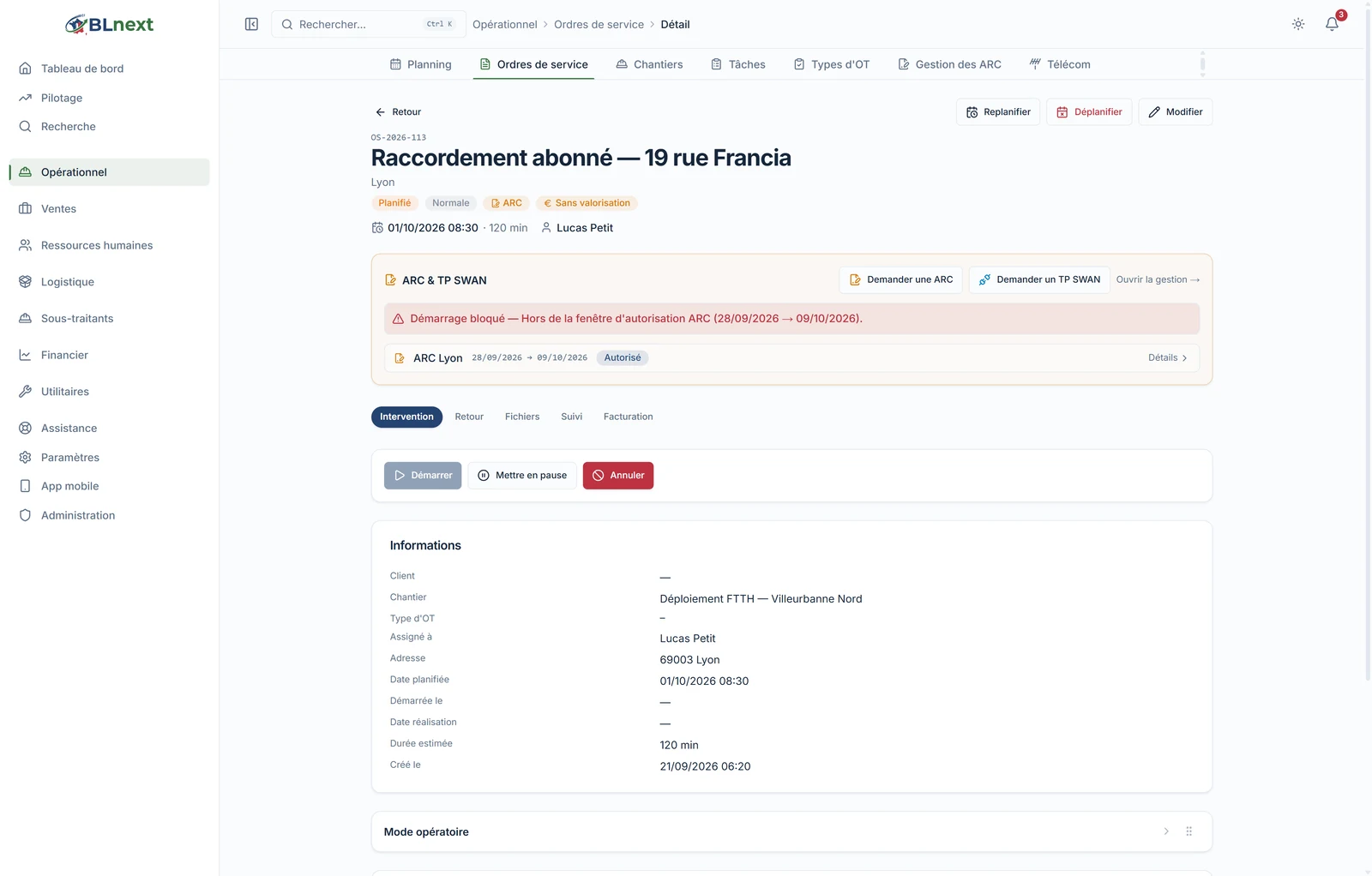
There's no ARC dossier floating on its own. Everything starts from the OT: its "ARC & TP SWAN" banner offers Request an ARC to anyone entitled to create one. The banner stays visible throughout the OT's life and will later display the permit's status.
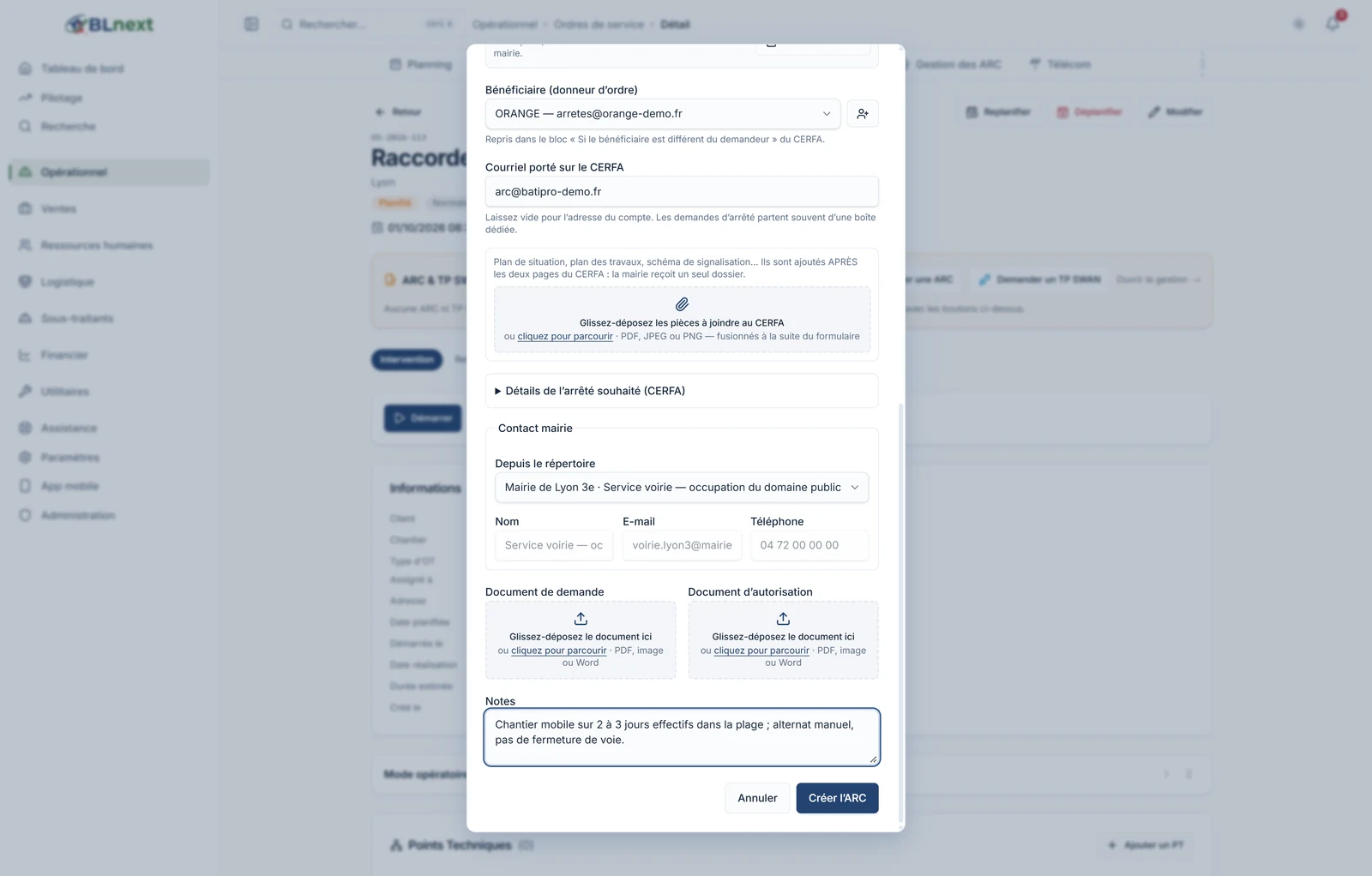
The form that opens is already filled in with what the app knows:
- the town and postcode come from the OT;
- the street comes from the OT's address or, failing that, from reverse geocoding of the job's coordinates (or its technical points);
- the start date is set to D+15 — a Saturday or Sunday is pushed to the following Monday — and the duration is entered in days, inclusive: 12 days from 28 September runs until 9 October, no need to count on your fingers;
- the town hall contact is retrieved from your directory by matching on the town;
- if you've set up a default request template, the description of the works, the beneficiary, the e-mail address shown on the CERFA and the usual boxes are filled in automatically.
You can also upload the plan of the work area: the AI reads the street names involved and suggests them to you as checkboxes before adding them to the dossier — you validate, it doesn't write anything on its own. 1 AI credit per plan analysed.
2. The CERFA 14024 fills itself in
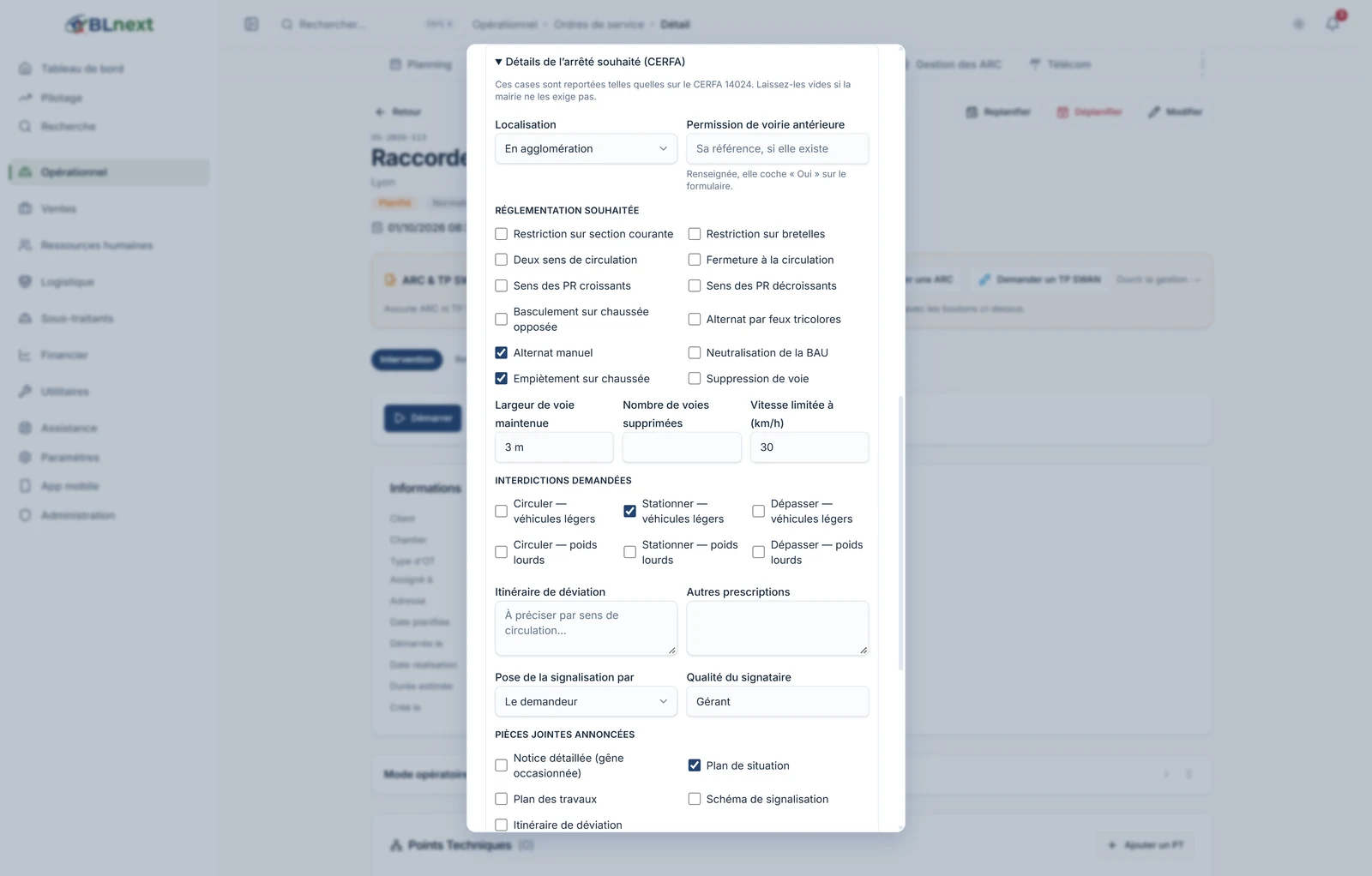
The "Details of the requested order" section covers, one by one, the boxes on the official form: within or outside a built-up area, prior road occupation permit, direction of traffic, alternating traffic by lights or manually, encroachment on the roadway and width maintained, lane closure, speed limit, bans on driving, parking or overtaking for light vehicles and lorries, diversion route, requirements, who sets up the signage, documents included, signatory's capacity.
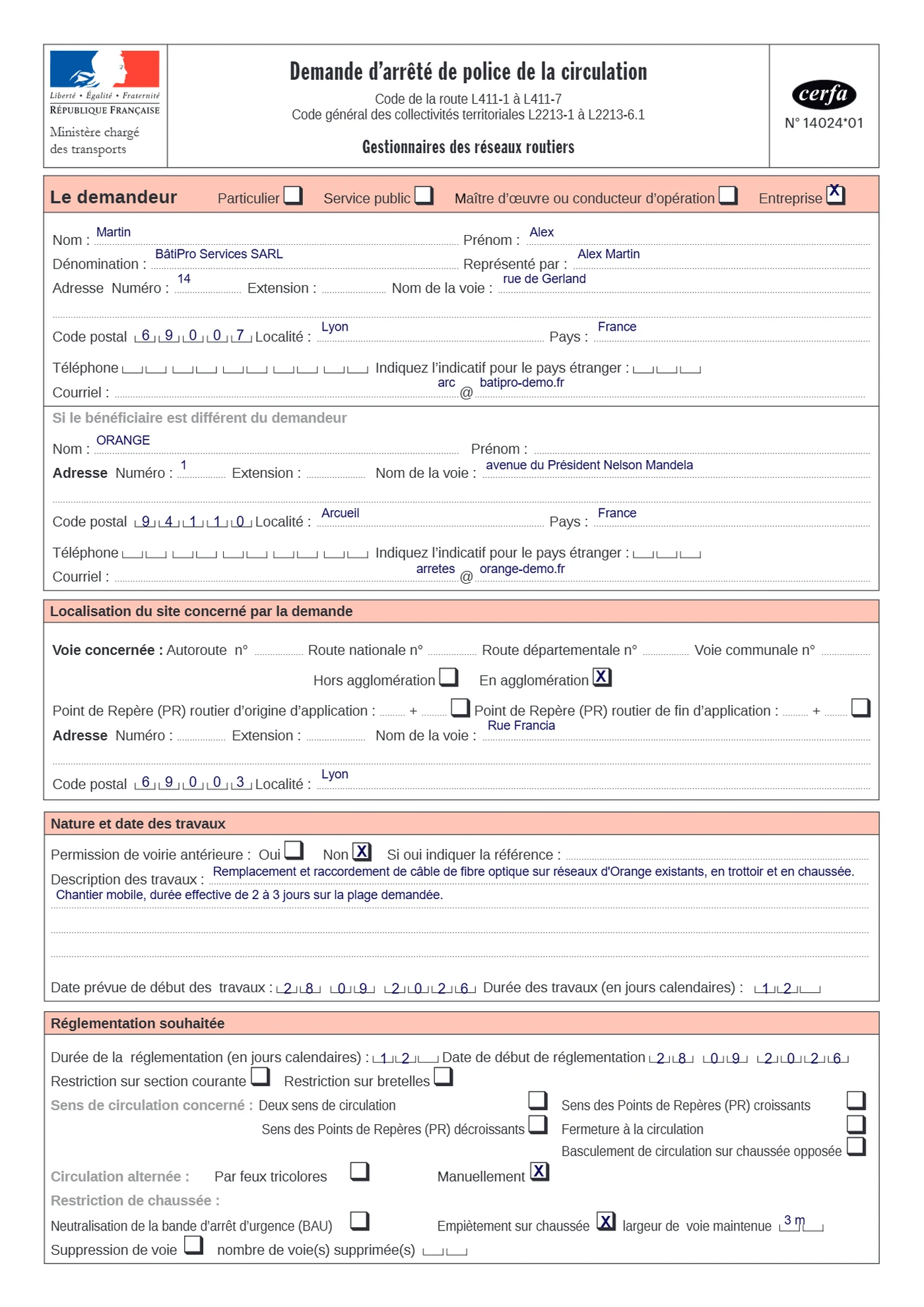
A click on Generate the CERFA produces the official document, pre-filled from the company, the OT, the beneficiary and these boxes — you review it, and it's saved to the request as soon as it's created. Since the official form has no digital input fields, BL Next writes into the right boxes, in the right place, including the number grids for dates, postcodes and phone numbers.
The dossier's supporting documents (site plan, photos, notice) are uploaded in the same place: they're merged with the CERFA into a single PDF, ready to be sent. An unreadable file is set aside and flagged, never blocking.
3. The ARC record: documents, e-mail, history
Each request has its own record. At the top, the dossier's identity: OT, street(s), town, works, beneficiary, e-mail address shown on the CERFA, town hall contact, notes. On the right, the documents: the generated CERFA, the submitted request, the authorisation once it arrives, and the attachments.
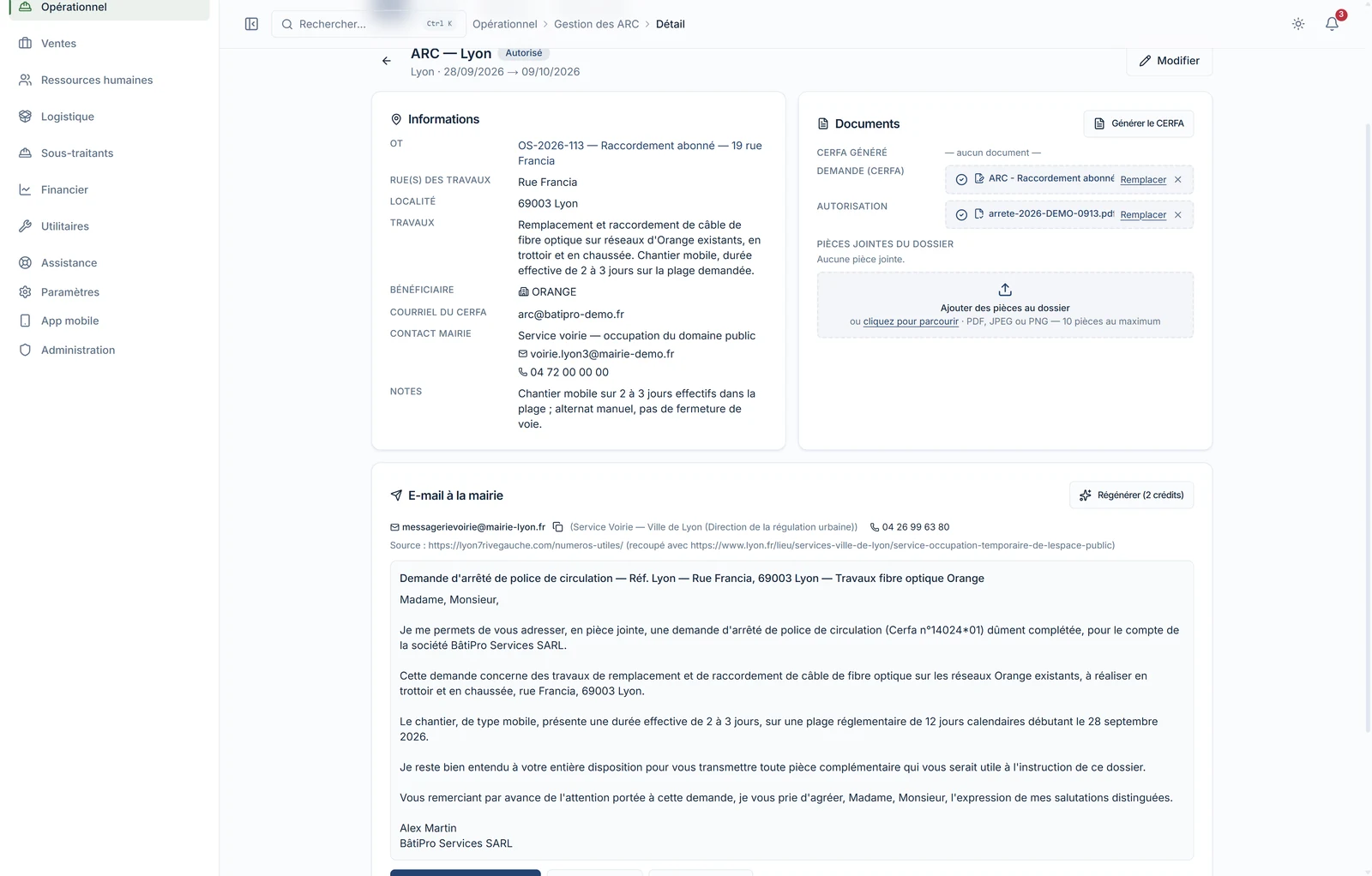
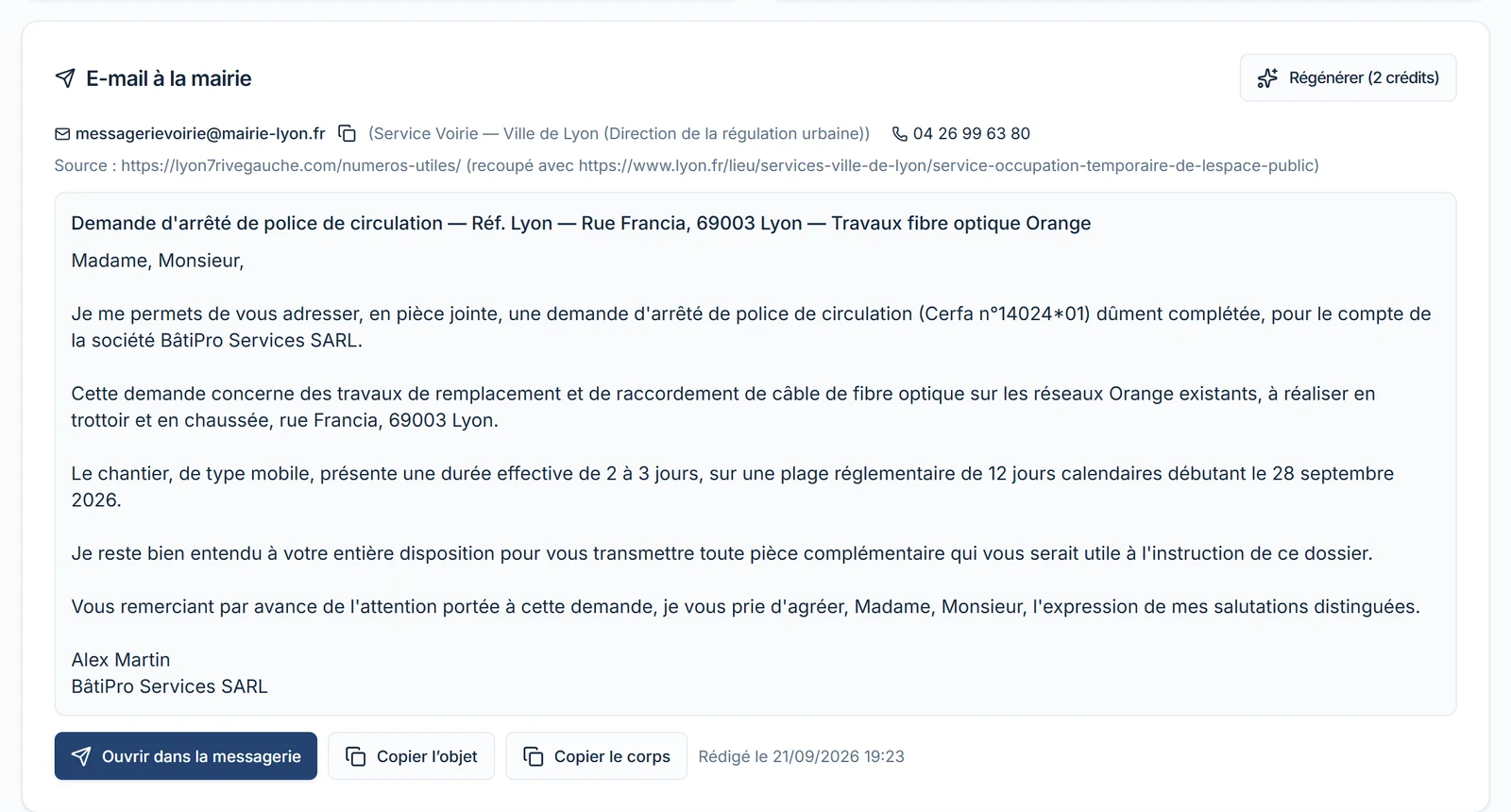
The "E-mail to the town hall" block saves the most time: the AI searches the web for the contact details of the town's road department, cross-checks them against a second source, then drafts the accompanying e-mail — mobile worksite, actual duration, requested regulatory window. In our example, it found Lyon City Council's road department, its address and phone number, cited its sources, and wrote a letter ready to send. Nothing is sent automatically: you open your mailbox, review it, and send it. The contact found is added to your directory for next time. 2 AI credits per e-mail.
Finally, the history logs every event — creation, edits, CERFA generated, e-mail drafted, documents uploaded, status changes — with the author and time. It can't be erased: it's the record of the dossier if the town hall, the client or an inspection asks you what was done and when.

4. Statuses that update on their own, and an alert 5 days out
You don't update an ARC's status by hand. It follows the facts:
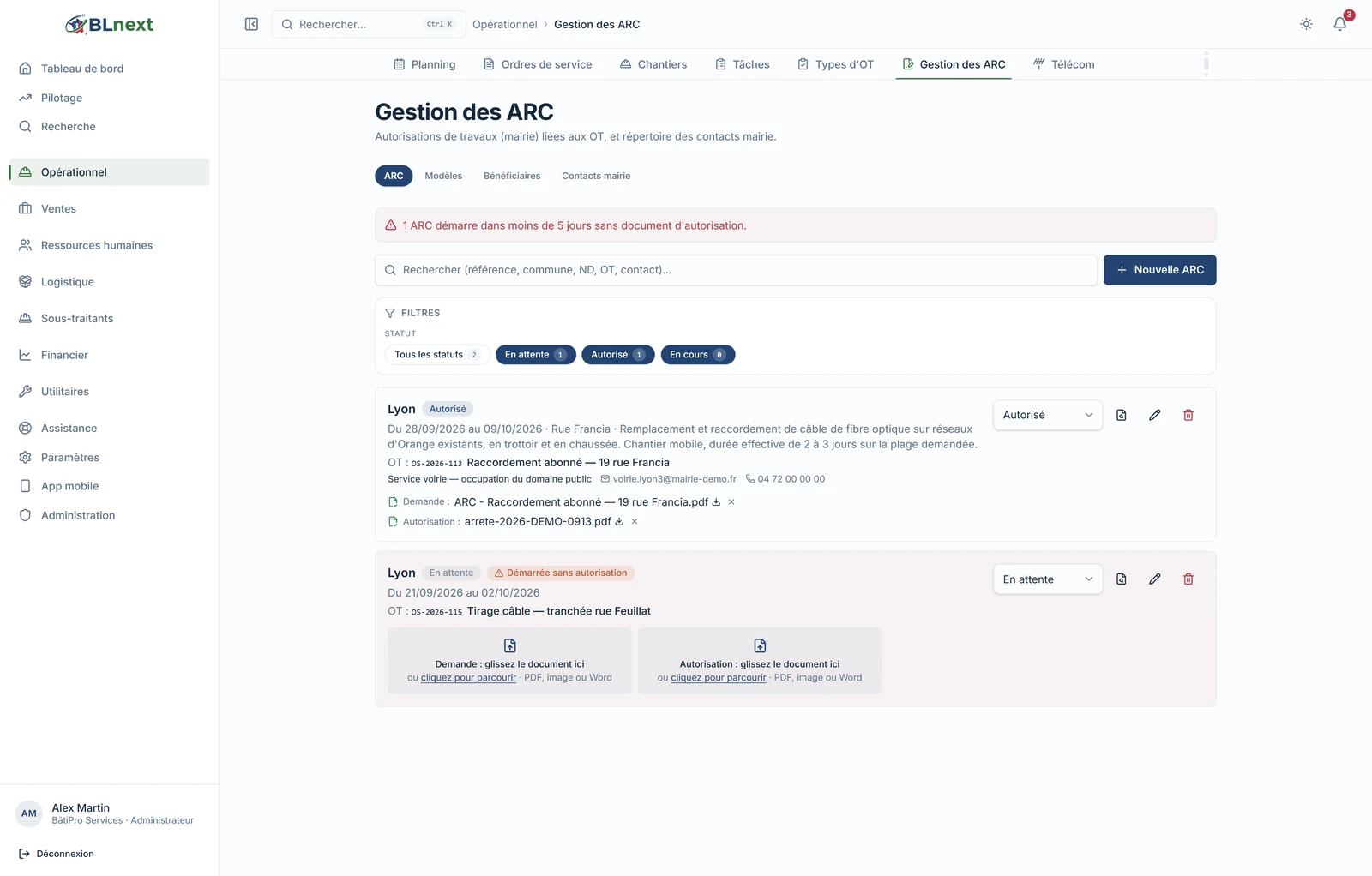
- Pending as long as the authorisation hasn't been submitted;
- Authorised as soon as you upload the authorisation document received from the town hall;
- In progress on the works' start date, Completed after the end date;
- Refused or Cancelled, the only two statuses you set yourself.
Syncing happens every time the screen is opened and via a scheduled background task. This same process triggers the 5-day alert: an ARC starting in less than five days without an authorisation document triggers a notification — in the app and by e-mail — to administrators, just once, and appears at the top of the list. An ARC whose works have started without a permit is marked "Started without authorisation".
5. What changes on site
The job can't start outside the window. As long as today's date isn't within the ARC's window, the OT's Start button is locked, both in the office and on the technician's phone, and the banner explains why. The rule is enforced in the database itself, not just on screen: there's no workaround that bypasses it.
The schedule shows it. Every OT card carries its ARC badge with its dates, so the dispatcher can see at a glance which jobs are covered, and until when.
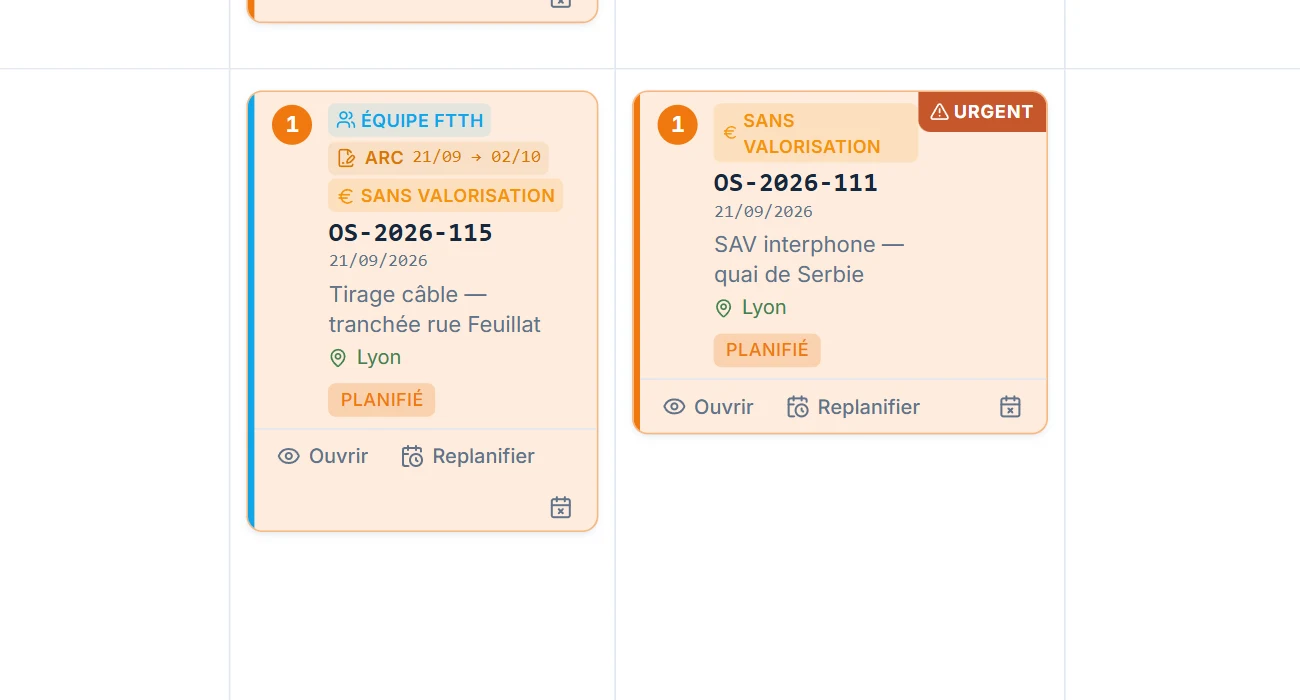
Linked OTs share the permit. When several work orders form a single job, the ARC submitted on one covers the others — the record shows "Linked OTs covered", and each one's start is assessed against the shared window.
Closing the OT closes the dossier. A completed or validated OT moves its ARC to "Completed"; a cancelled OT cancels it. There's no separate dossier to close.
6. What you no longer have to retype: beneficiaries, contacts, templates
Three directories save you from re-entering data.
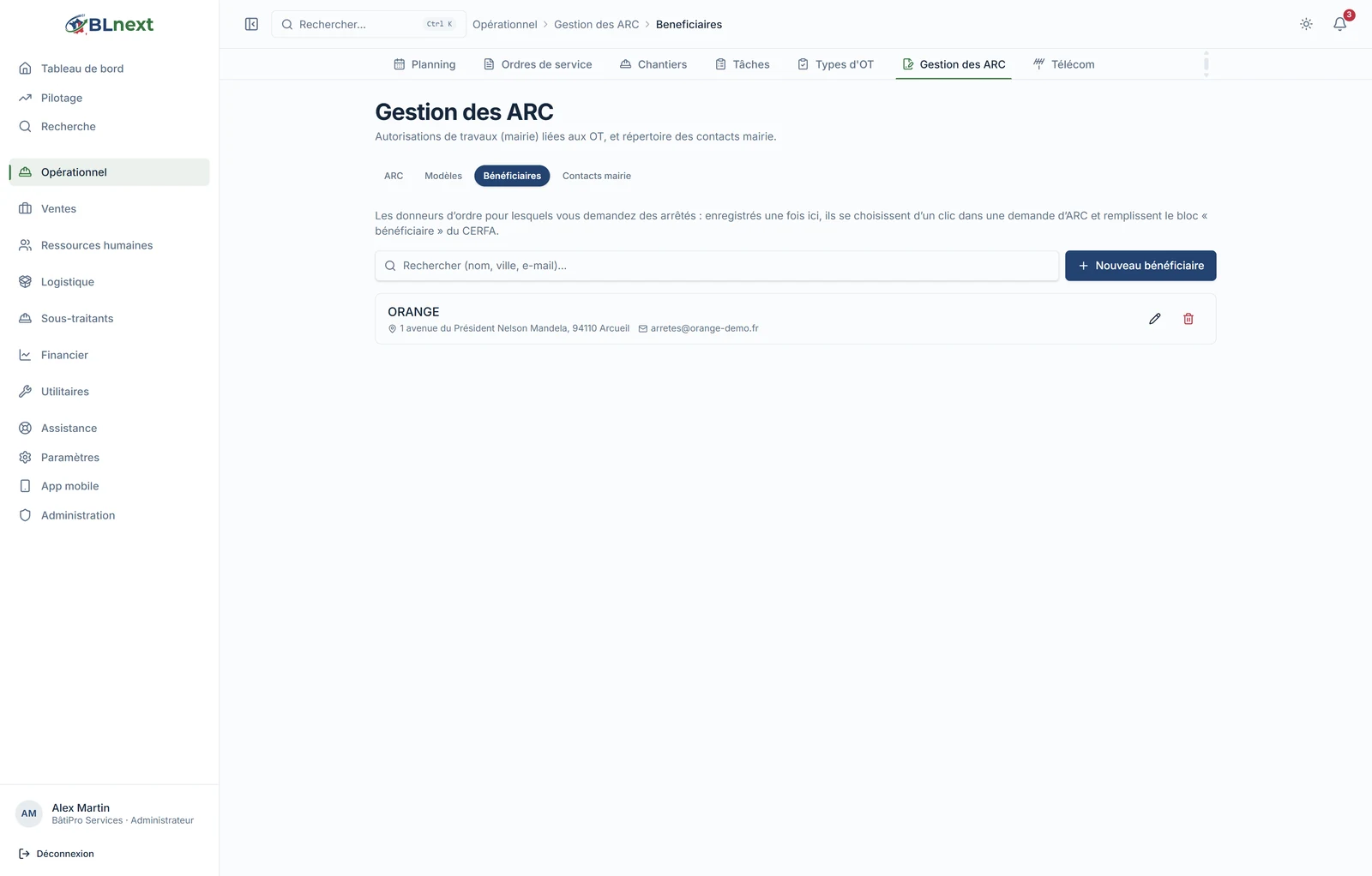
- Beneficiaries: the clients you're requesting permits for — Orange, Enedis, an operator — along with the address where they receive the permits. They fill in the "If the beneficiary differs from the applicant" block on the CERFA.
- Town hall contacts: your road department contacts, by town, reused from one request to the next. Each ARC keeps a copy of the contact as it stood at the time of the request: editing the directory doesn't rewrite a submitted dossier.
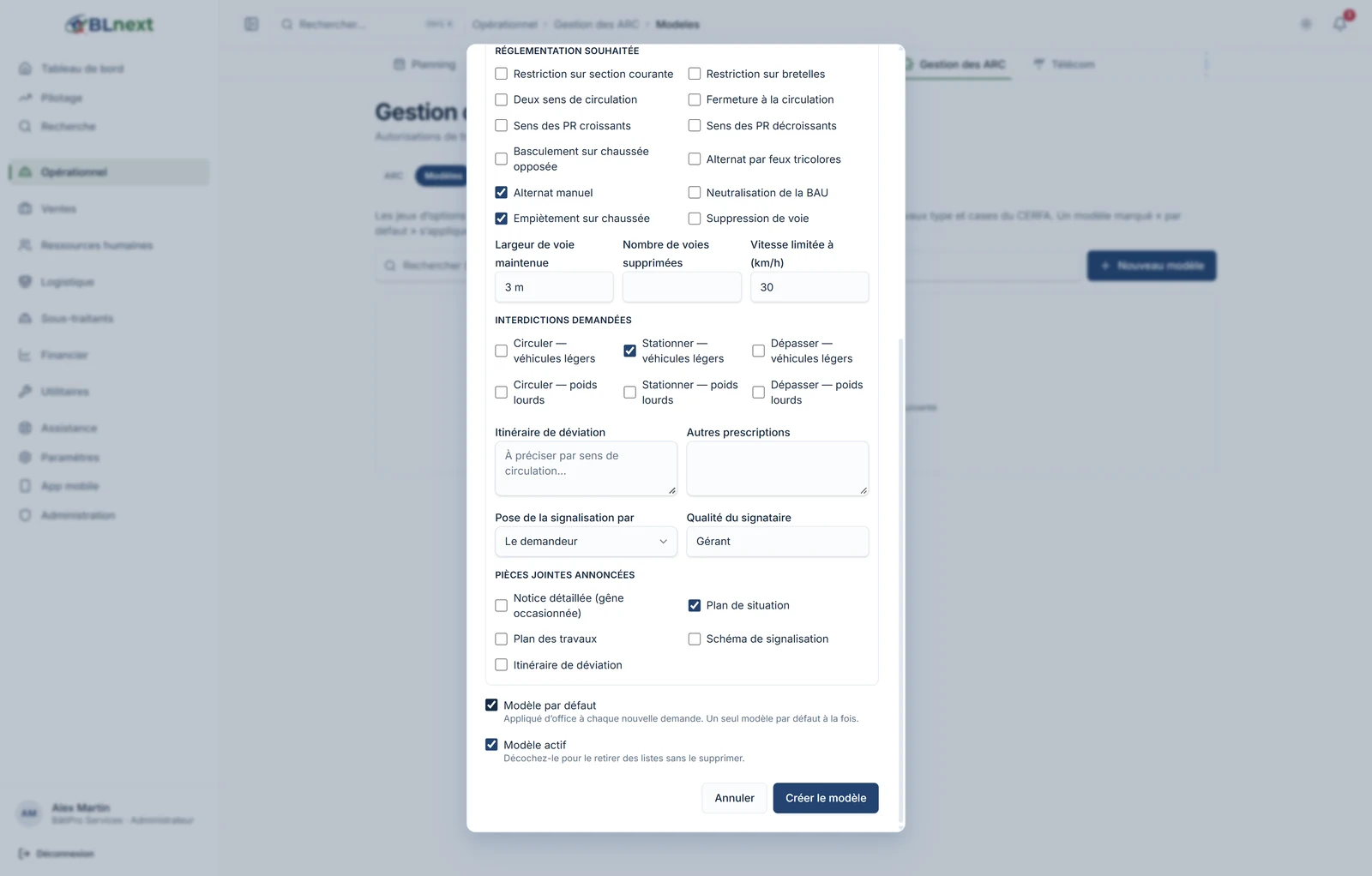
- Request templates: a name, the e-mail address shown on the CERFA (often a dedicated mailbox, separate from the account contact), the usual beneficiary, the standard description of the works and the order's boxes. A default template applies to every new request without overwriting what you've already written; a manually chosen template replaces it.
7. Activation and permissions
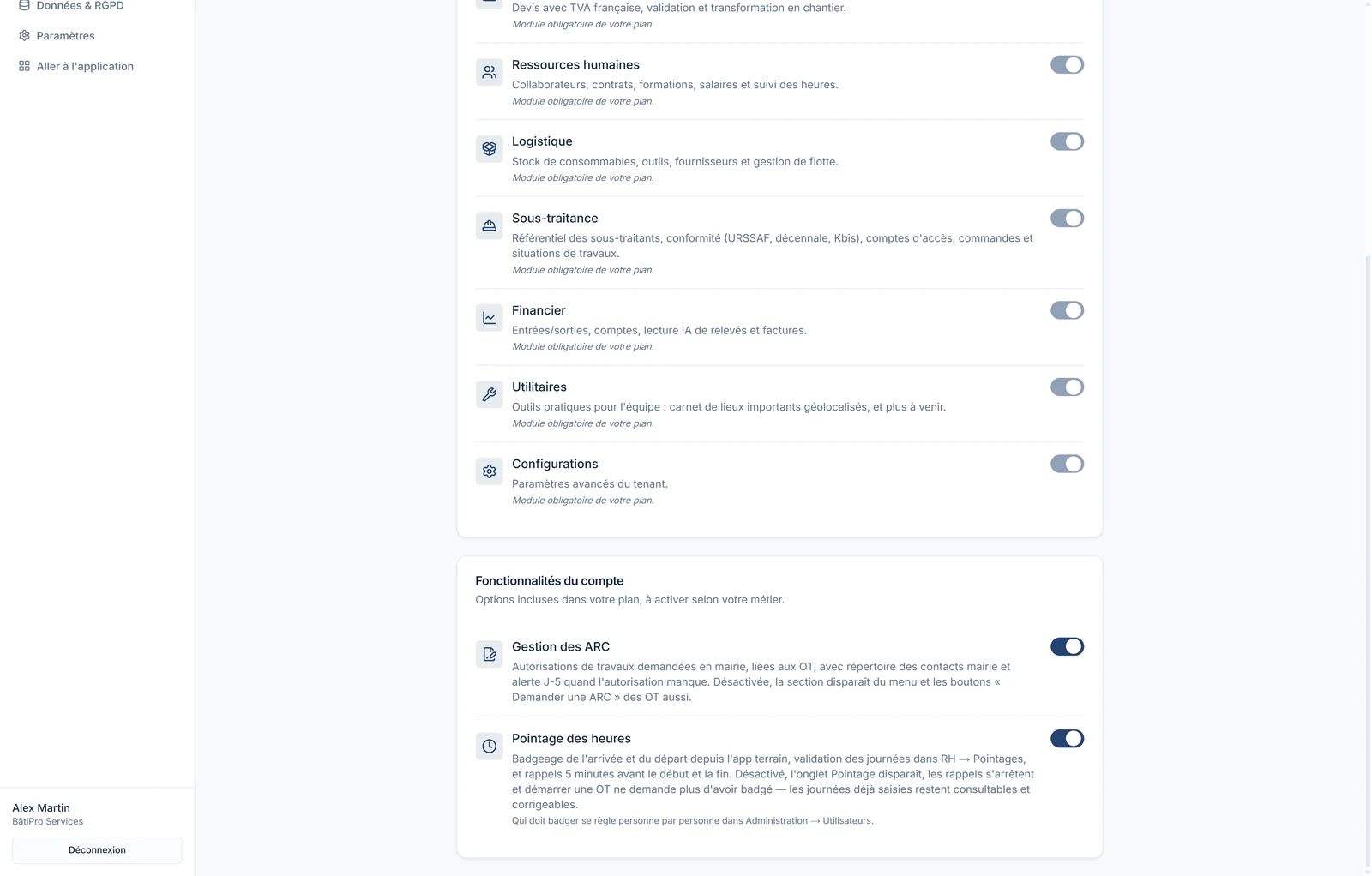
Road Closure Permit Management is included in every plan and enabled by default: a toggle in Administration › Modules › Account features lets you hide it if your jobs never touch public land. Permissions are granular — create, edit, delete an ARC — and technicians only see the permit in read-only mode, where they need it: on their OT.
For telecoms subcontracting, the same OT banner offers TP SWAN, the outage notification to Orange, with its own logic for time windows, VISIR codes and label photos — that's another story, which we'll cover in an upcoming article.
Key takeaways
- An ARC is created from the OT, pre-filled; the CERFA 14024 comes out generated, with its documents merged.
- The e-mail to the town hall is drafted with AI, backed by sources, and sent from your own mailbox, never automatically.
- Statuses follow the documents and dates; the 5-day alert catches you before the job starts.
- Outside the authorised window, the job won't start — and the rule lives in the database, not just on screen.
Everything you've seen here can be set up in a few minutes on your own account, during the 14-day trial — no credit card required, with your real towns and your real clients.